🔄 Integrate with Admin Panel
📋 Overview
Learn how to connect your mobile app with the EdyFi admin panel.
🔄 Integration Steps
1️⃣ Configure API Endpoint
- Open
lib/config/api.dart - Update the base URL with your admin panel URL
- Ensure SSL certificate is valid
2️⃣ Test Connection
- Run the app in debug mode
- Verify API responses
- Check error handling
📝 Notes
- Use HTTPS for secure communication
- Test all API endpoints
- Monitor API performance
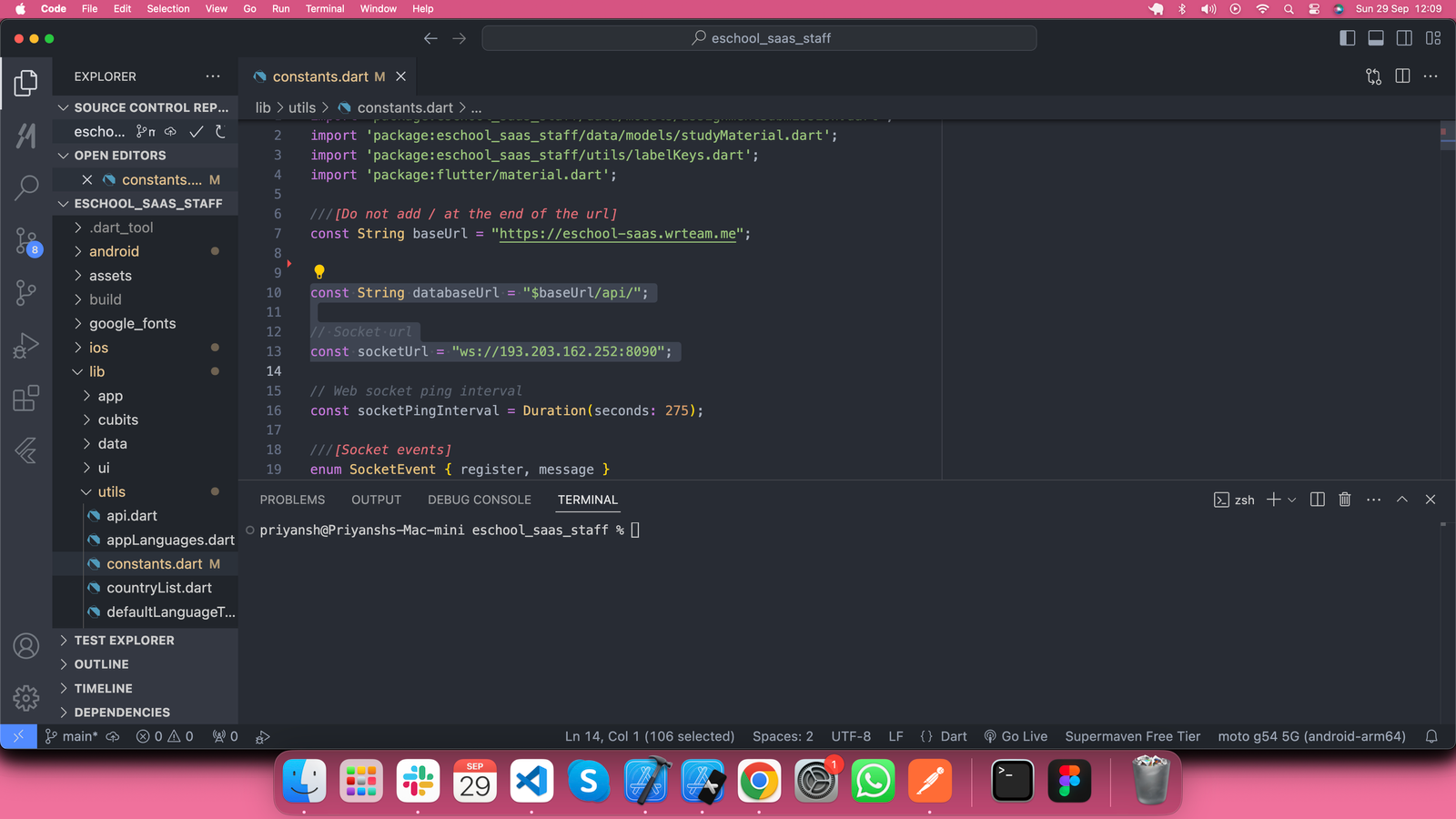
Go to lib/utils/constants.dart and replace the baseUrl with your admin panel URL. Set your socket URL as well.